
New player
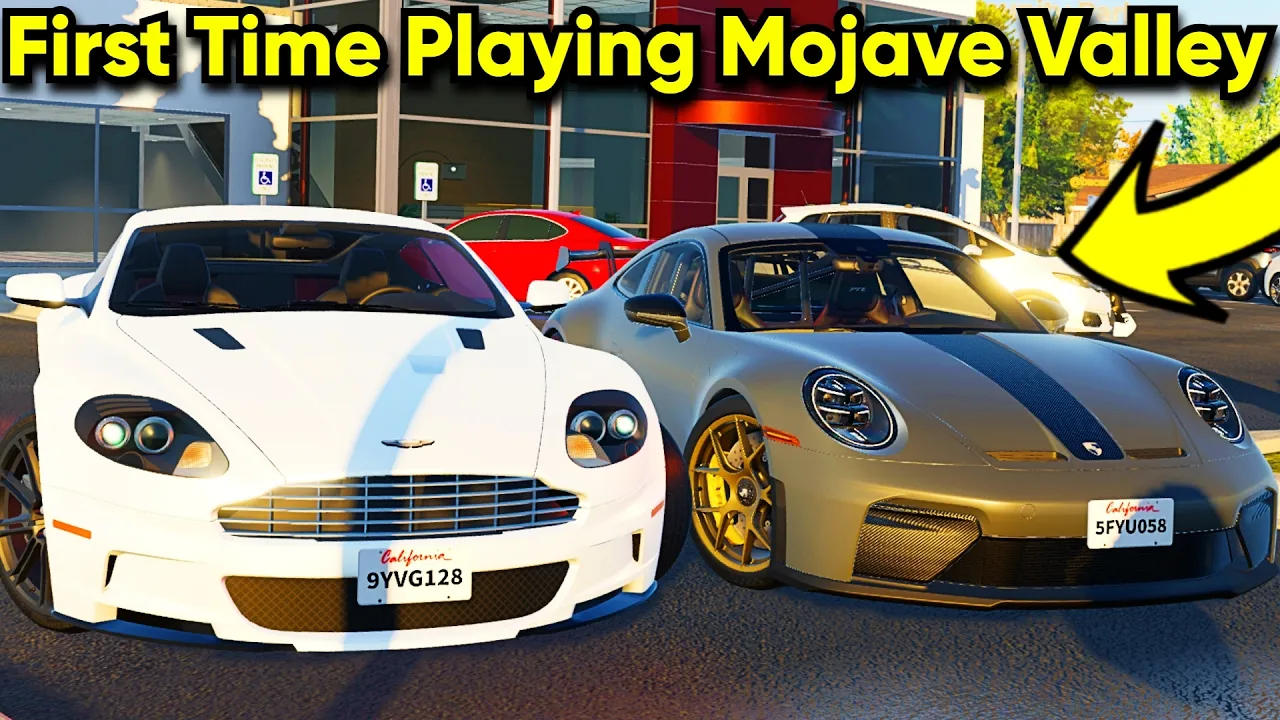
Mojave Valley Roblox — First Session Walkthrough
See what a first Mojave Valley session looks like — dealership shopping, driving the map, jobs, and highway cruising on Roblox.
New player
See what a first Mojave Valley session looks like — dealership shopping, driving the map, jobs, and highway cruising on Roblox.
Mojave Valley is a realistic California roleplay game on Roblox developed by Official Mojave Valley. The map recreates the Mojave, CA region with fictional towns, highways, dealerships, and residential areas layered on top. Mojave Valley Roblox players drive detailed vehicles, earn cash, work jobs, buy homes, and roleplay with up to 24 others per server.
The experience sits in Pre-Alpha, meaning vehicles, jobs, map zones, and payouts can change after each update. Recent patches added a New Town area, the Cafe Job, JDM import vehicles, and seasonal Mojave Valley codes tied to like milestones (32,000 likes, next goal 40,000).
Core loop: drive → earn money → buy cars → work jobs → roleplay → collect. Income comes from Drive-to-Earn highway cruising, selectable jobs from the in-game Jobs menu, and redeeming Mojave Valley codes. This guide covers the Roblox version only — not any unrelated mobile title with a similar name.
Genre tags on the official page list Realistic California roleplay · driving simulation. If you want raw vehicle stats and trim lists, browse the wiki; this beginner guide focuses on your first hour.
Start by opening Mojave Valley on Roblox. Hit Play, pick a server with open slots, and wait for the world to load. You may see a tutorial prompt — new Mojave Valley Roblox players can accept it or skip and follow this guide instead.
Join the Official Mojave Valley group to track update posts and code announcements. Like the game page so you catch the next Mojave Valley codes drop when the community reaches 40,000 likes.
Before spending cash, redeem any active codes on the codes page. As of July 2026, JULY4TH and SUMMERSHOWERPLS grant free cash through Shop → Codes (ALL CAPS). That boost makes your first dealership purchase much easier.
Set aside two minutes to read the controls guide. Mojave Valley uses realistic inputs — engine start, gear shifts, turn signals, and lights — before you pull onto a highway.
| Step | Action | Tag |
|---|---|---|
| 1 | Open Mojave Valley on Roblox | Start |
| 2 | Like the game & join the official group | Codes |
| 3 | Redeem active Mojave Valley codes | Cash |
| 4 | Read PC or console keybinds | Controls |
| 5 | Visit a dealership | Car |
Mojave Valley does not hand you a free starter vehicle — you buy one at a dealership using your opening cash plus any code rewards. New players typically begin with roughly 10,000 cash; budget sedans and base trims often cost between 6,000 and 8,000, leaving room for fuel and repairs.
Dealerships stock sedans, SUVs, JDM imports, sports trims, and luxury models with multiple trims per chassis. Cycle through trim options before purchasing — base models are enough for your first Drive-to-Earn lap, while higher trims unlock later after you grind money.
Use the tier list starter rankings before buying. S-tier budget sedans balance price and highway comfort; A-tier economy SUVs suit family roleplay. The vehicle wiki lists classes and price tiers as the database grows.
After purchase, spawn your car and start the engine: S+F on PC or LT + DPad Down on console. Toggle lights, signals, and gears using the controls reference so you do not stall on your first turn.
| Car type | Best for | Tier |
|---|---|---|
| Budget sedan | First purchase under 8k cash | S |
| Economy SUV | Roomier daily RP | A |
| JDM import | Mid-game upgrade | A |
| Sports trim | Highway speed — save for later | B |
| Police / LEO | Roleplay — often needs passes | B |
Matched by build plan, shared topics, and guide progression — not random related links.
Driving is the heart of Mojave Valley. The map mixes city streets, residential crescents, gas stations, motels, grocery plazas, and long highway stretches modeled after California desert highways. Cruising earns Drive-to-Earn cash passively while you roleplay or explore.
Drive-to-Earn pays more when you respect speed limits — racing at top speed often earns less per mile than steady cruising. Treat highways as income routes: pick a lane, use turn signals (Z/C on PC), and refill at gas stations when your tank runs low.
Mojave Valley Roblox includes realistic touches: working headlights, interior cameras (toggle with B on PC in many vehicles), airbag events after hard collisions, and manual gear shifts (Q/E). Repair or reset at garages when airbags deploy so you can keep earning.
Roblox Plus+ subscribers earn +10% Drive-to-Earn payouts per the official description. See the wiki premium table for weekly $4,999 bonuses and other perks if you play Mojave Valley daily.
| Input (PC) | Action | Tag |
|---|---|---|
| S + F | Start engine | Required |
| Q / E | Shift gears | Drive |
| Z / C | Turn signals | RP |
| L / J | Low / high beams | Night |
| H | Horn | RP |
Beyond driving, Mojave Valley pays you through selectable jobs listed in the in-game Jobs menu. The Cafe Job added in the New Town update is the most documented steady income source — pick it from Jobs, commute to the work area, and collect shift payouts.
Other job entries (coffee shops, barbecue pits, realty, and similar) appear in the Jobs roster as the Pre-Alpha map expands. Compare hourly pay on the jobs guide before committing; Cafe Job shifts remain the baseline recommendation for new Mojave Valley Roblox players.
Stack jobs with Drive-to-Earn: work a Cafe Job shift, then cruise highways on the way home. Redeem Mojave Valley codes whenever a new like-goal string drops for burst cash.
Law-enforcement and specialty roles may require game passes or unlocked vehicles. Civilian grinding — codes, Cafe Job, and highway cruising — is the safest Day 1 path. Full income rankings live on the money guide and tier list job tab.
| Method | Income style | Tier |
|---|---|---|
| Mojave Valley codes | Instant cash burst | S |
| Cafe Job | Shift-based steady pay | S |
| Drive-to-Earn | Passive while cruising | A |
| Roblox Plus+ | +10% drive & job pay | A |
| Premium trims | Flex — not early income | B |
Mojave Valley map zones include dealerships, gas stations, highway interchanges, grocery plazas, motels, community parks, and residential streets with multiple house models. Homes can be purchased or claimed for roleplay storage — garage doors, driveways, and neighborhood layouts mirror California suburbs.
Roleplay is open-ended: cruise with friends, meet at gas stations, work Cafe Job shifts together, or park at scenic overlooks. There is no single campaign mission — progression is economic. Earn cash, upgrade vehicles, unlock trims, and optionally invest in property.
Server rules and data-loss policies are posted in the official communications server linked from the Roblox page. Read them before trading vehicles or sharing account details.
When you are ready to optimize spending, cross-check the tier list, vehicle wiki, and jobs guide. Mojave Valley updates frequently, so revisit those pages after major patches.
Day 1: redeem Mojave Valley codes, buy a budget sedan, learn engine start and signals, complete one highway lap. Day 2–3: try a Cafe Job shift and save for a tier-list upgrade. Day 4–5: explore New Town, compare trims on the wiki. Day 6–7: decide whether Roblox Plus+ fits your daily play pattern.
This roadmap keeps Mojave Valley Roblox progression simple: codes and jobs for bursts, Drive-to-Earn for passive fill, tier list for purchase priorities. Avoid script or hack searches — they are unsafe and unrelated to legitimate gameplay.
Mojave Valley is a realistic California driving roleplay game on Roblox. Drive, work jobs, earn cash, and explore a Mojave desert map in Pre-Alpha.
No. This beginner guide covers the Roblox version by Official Mojave Valley only.
Visit a dealership, pick a budget trim within your cash (often 6k–8k), and purchase. Redeem Mojave Valley codes first for extra cash.
Redeem codes, buy a cheap car, then stack Cafe Job shifts with Drive-to-Earn highway cruising. See the money guide for details.
Check the codes page for JULY4TH and SUMMERSHOWERPLS as of July 2026. Codes change after like goals and seasonal updates.
No, but Roblox Plus+ adds +10% drive and job pay, +5% code rewards, and a weekly $4,999 bonus for regular Mojave Valley players.
Matched by build plan, shared topics, and guide progression — not random related links.
Mojave Valley controls for Roblox — PC keybinds, PS5 and Xbox buttons, how to start your car, shift gears, signals, and lights. Mojave Valley Roblox driving guide.
Fits your starter plan — Controls guide covers the next slot
Best job in Mojave Valley Roblox — Cafe Job location, pay tips, and how jobs compare to Drive-to-Earn. Mojave Valley Roblox work guide.
Money guide ties together drive, jobs, codes, and premium bonuses
How to make money in Mojave Valley Roblox — Drive-to-Earn, Cafe Job, codes, and premium bonuses. Mojave Valley Roblox cash farming guide.
Money guide ties together drive, jobs, codes, and premium bonuses